House Radar
House Radar is an iPhone app that finds the things around you that send a signal — phones, earbuds, watches, TVs and speakers — and walks you to them: warmer… colder… right here.
This page is the guide, not the app. The scanning happens in the House Radar iPhone app — Safari can't use Bluetooth or the camera this way. Get House Radar on the App Store:

Open this on your iPhone. Stuck? Email analogquant@gmail.com.
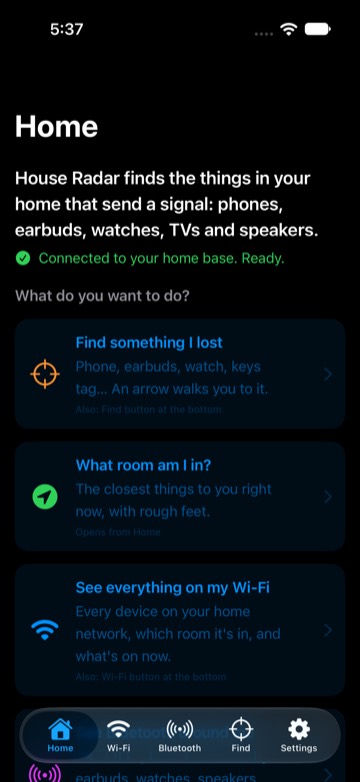
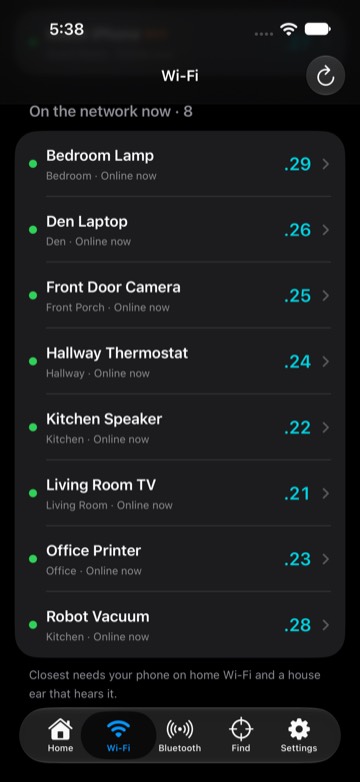
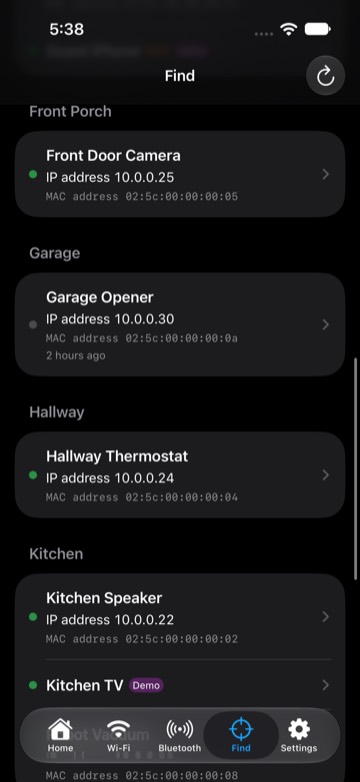
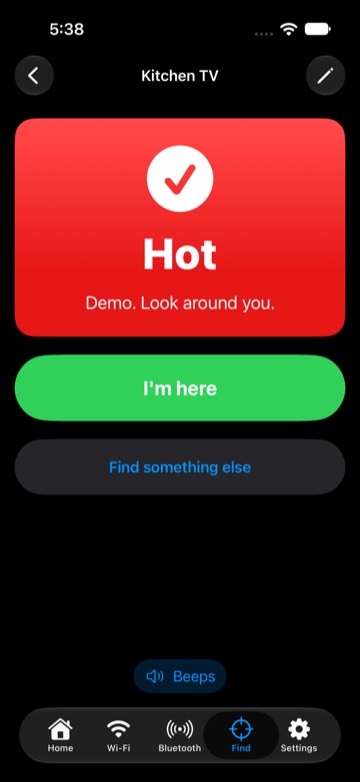
Screens from the built-in demo house.
See a hunt
42 seconds: entering the room, the wrong way, warmer, close, overshoot, found in the couch cushion. Example data, not real readings. The same video is in the app under How to find something.
Start with just your iPhone
Nothing to download but the app. You start with an empty list — nothing from anyone else's house — and everything you find is yours.
- Open the app and sign in with Apple or your email. Allow Bluetooth, Camera and Local Network when it asks.
- Find something with the camera: on Home tap Find something with the camera, pick what you lost (iPhone, AirPods, earbuds, phone, watch, tag, TV remote, speaker/TV or anything), hold the phone up and turn one slow circle (usually under a minute). You get a short Closest to you list marked Hot, Warm or Cold. Tap one and walk: the floor glows your colour under your feet and red where it probably is, and the beeps speed up as you get closer (the speaker button mutes them). Tap Found it when you have it.
- Find one thing from the list: Bluetooth → tap a device and walk. The screen and the beep say warmer or colder; Show me with the camera opens the same floor view. AirPods that are connected to your iPhone don't broadcast, so the scan can't hear them — the app tells you they're connected and close; use Find My to play a sound.
- See your Wi-Fi: Wi-Fi → Quick scan the Wi-Fi you're on lists what is on the network you are connected to right now. Not on a Wi-Fi? Bluetooth and the camera still work anywhere.
Whole-house finding (optional)
Add a Mac that stays on at home and House Radar learns which room and floor things are in, and what is on right now — even when you're out.
Get the home base for Mac
- Download it on the Mac (free, signed and checked by Apple, about 800 KB). Unzip and double-click House Radar Setup. It installs Python for you if the Mac needs it.
- Scan the QR code it shows with the iPhone camera. The app connects to it.
- Teach it your rooms (5 min): the Home card walks you room by room — stand in each one and tap Teach.
- Landmark tour: Settings → Advanced → Bases → Landmark tour lists the speakers, TVs and smart devices it found on your network. Walk to each one and tap I'm here; the phone says “Saved”. Those become fixed points that tell rooms and floors apart.
- Make finding better: if your network has a computer or spare iPad that stays put, Home suggests turning it into an extra Bluetooth listener, with the steps.
Help
- Nothing shows up in Quick scan: allow Local Network for House Radar in iPhone Settings → Privacy & Security → Local Network, and make sure you're on Wi-Fi.
- Bluetooth list or camera dots empty: allow Bluetooth and Camera for House Radar in iPhone Settings → House Radar.
- The camera scan needs an iPhone that supports AR (iPhone XS or newer).
- Lost Apple TV remote: a Siri Remote paired to its Apple TV sends nothing another phone can hear. On iPhone open Control Center → Apple TV Remote → pick the TV → Find (Apple TV 4K from 2021 on, tvOS 17+). House Radar's TV remote screen lists your Apple TVs and which ones can do this.
- Signal is a guide, not a tape measure. Walls and bodies change it. Keep walking slowly; the arrow and the word settle in a few seconds.
- Delete your account: in the app, Settings → Account → Delete account. It removes your account and saved names right away.
Contact
Questions, problems or ideas: analogquant@gmail.com. We answer within a few days.
Privacy policy
On the App Store · home base 0.9.96 · newest iPhone test build 1.49 · page updated 2026-10-31 10:11 AM EDT